 PragmaPlanner
Auto-Scheduling
Industrial-grade solver
Stop playing Tetris. Click Auto to search millions of possible combinations for the one solution that maximizes attendee satisfaction. An agenda generator that resolves conflicts fast.
AI-driven event auto-scheduling. No more Tetris in Excel, create a free conference agenda in browser. Respect conflicts, availabilities, room capacities, preferences and more.
Plan multi-room, multi-day schedules with real constraints and clear exports.
Stop playing Tetris. Click Auto to search millions of possible combinations for the one solution that maximizes attendee satisfaction. An agenda generator that resolves conflicts fast.
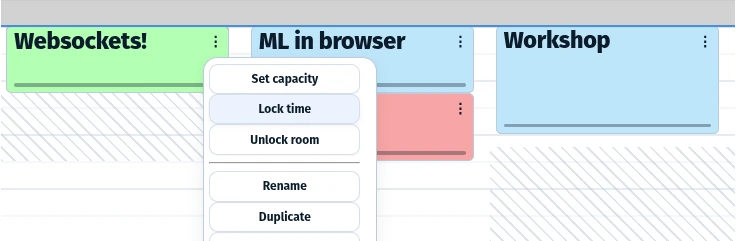
Constraint-aware agenda maker. Assign speakers, set participant preferences, room capacities, blocked times, and room/time locks.
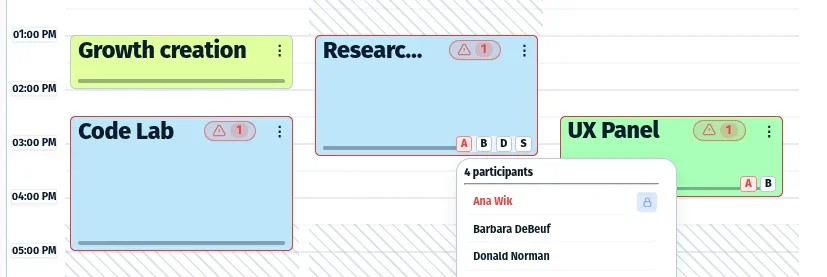
Scared of double bookings? See speaker overlaps, capacity issues, and invalid placements before you publish a conflict-free agenda.
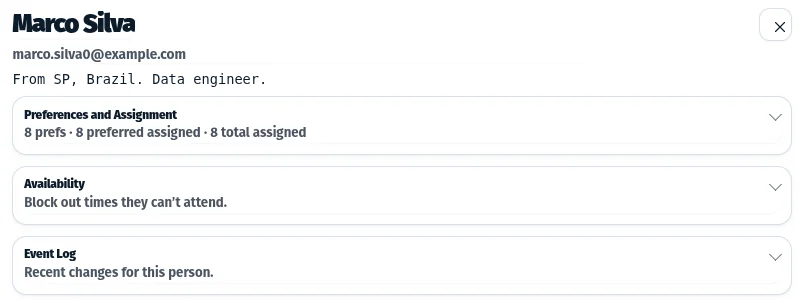
Import attendees, set descriptions and email addresses, availability/preferences, and track assignments.
Plays nice with your existing tools. Import email lists or existing ICS sessions, and export to CSV or via ICS to create a calendar in tools such as Google Calendar, Apple Calendar, or Outlook. A customizable planner: export a PDF agenda that looks the way you want.
Enterprise privacy standards and GDPR compliant. Projects are encrypted in your browser before syncing or sharing. Our servers don't see your sensitive data.
PragmaPlanner is event organisation and management software focused on multi-track scheduling.
It works as a meeting planner and agenda builder for conferences, interview days, and summits.
You can create agenda online plans with rooms, participants, and constraints in one place.
Instead of manually juggling spreadsheets and conflicts, PragmaPlanner treats scheduling as a single optimization problem. You describe availability, preferences, room capacities, and rules. The system computes a schedule that satisfies as many constraints as possible and clearly shows where things work well and where there are conflicts or other issues.
The scheduler runs directly in your browser and uses modern web technology to solve the problem in parallel on your own machine. PragmaPlanner is designed for organizers who care about efficiency and participant satisfaction. At the same time, it aims to be low-friction and intuitive, so you can quickly test whether it fits your needs. The focus is on the hard part of planning: making a schedule that actually works.
Built in Portugal. Hosted on Cloudflare and Hetzner.
Schedules are solved using Google's OR-Tools CP-SAT solver, which balances multiple constraints such as time, room capacity, availability, and participant preferences to find the best feasible layout of sessions and assignments.
This is a combinatorial optimization problem (NP-hard) with millions of possible combinations, solved in parallel using your own CPU directly in the browser.
PragmaPlanner is not a full event logistics or attendee management platform. It does not aim to replace tools for registration, ticketing, check-in, badge printing, marketing emails, or on-site operations.
Its focus is on solving the scheduling problem itself. Making complex agendas with real constraints actually work. Other parts of event logistics can be layered on later or handled by dedicated tools.
Yes. PragmaPlanner works as a virtual event planner and hybrid event planner. For virtual events, use the Roomless layout planner: sessions in Roomless can run at the same time without room collisions, so parallel tracks stay valid. The solver will generally try to move sessions out of Roomless unless they are locked to Roomless. For hybrid events, schedule physical and Roomless sessions together, then after export add Google Meet or Microsoft Teams links in your calendar app.
Change the project time zone in Settings at any time. This helps coordinate international events across regions, and exported schedules include time zone data.
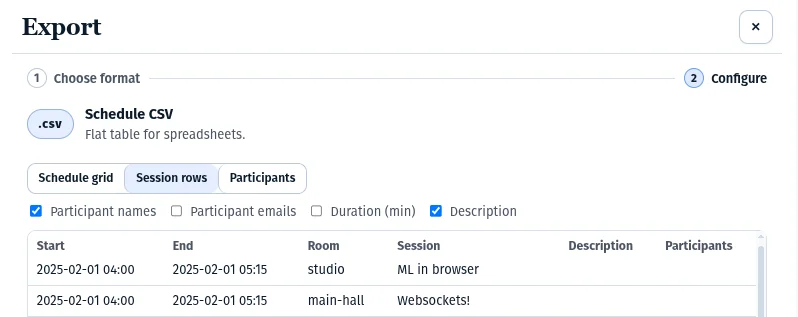
Yes. Import sessions, rooms, and participants directly from a CSV file, and export final schedules the same way.
If you're signed in, open the app's main menu and choose Export to download your data.
Yes. PragmaPlanner supports both import and export using the standard .ics calendar format, which works with Apple Calendar, Google Calendar, Outlook, and most other digital calendar systems. This allows you to move schedules in and out without lock-in.
Event schedules often contain sensitive data such as participant names and email addresses. We believe data sovereignty should be the standard, not an optional feature.
Your project is encrypted on your device before anything is sent. Only you and those you share it with can open it. If you register, the server only knows your organizer email address and never sees your schedules or participant data.
Technical details: Encryption uses WebCrypto with AES-256-GCM, ECIES-based key exchange, and HKDF-SHA-256. Authentication is handled via OPAQUE-KE, which means your password never leaves your browser.
Because your data is end-to-end encrypted, we unfortunately cannot reset passwords. You will need the recovery key shown during signup to regain access. Passkey-based recovery is coming soon.
Free handles up to 30 participants with shorter solve times. Pro handles at least 200 participants, and often many more depending on the specific constraints and complexity of your schedule. Pro also includes more rooms and save/share features.
Yes. Unconditional refunds are available within 14 days of purchase. If you need help, email support@pragmaplanner.com with your order email and invoice number and we will take care of it.
PragmaPlanner supports white-label setups at different levels, from custom branding and your own domain to a fully dedicated instance. Availability depends on your needs and scale.
Contact support@pragmaplanner.com and we will discuss what makes sense for your use case.
Terms of Service, Refund Policy, and Privacy Policy. Each link opens a compact modal so you never lose your place.